v1.0.0 Available for macOS

Your favorite web sites,
right in your menu bar.

Stop juggling browser tabs. Menubar Browser brings the web to your macOS menu bar for instant access to your essential apps and pages.
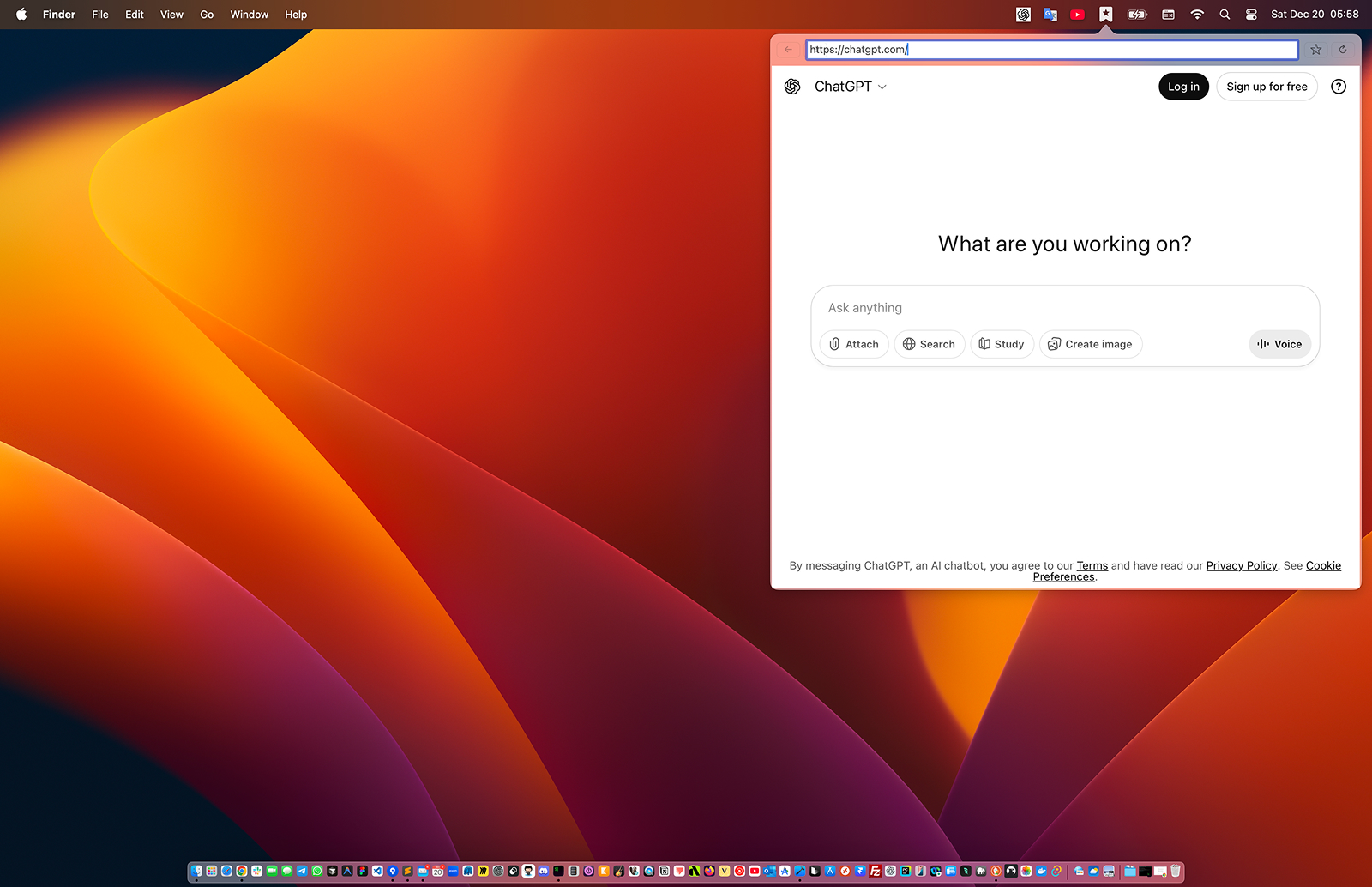
Menubar Browser Display

Powerful Features for Productivity

Designed to make your workflow faster and more focused with a native macOS experience.

Instant Access

Open any website instantly from your menu bar with a keyboard shortcut or a simple click. No more tab hunting.

Pinned Bookmarks

Pin your most used sites like ChatGPT, Notion, or Slack for even faster access.

Resource Efficient

Automatically pauses pages when hidden to save CPU.

Bookmarks Manager

Easily organize your web. Add, edit, or remove sites and set custom window sizes for each bookmark.

Detachable Windows

Pop out any browser window and keep it "Always on Top" while you work in other apps.

Fully Resizable

Adjust the size of each bookmark window individually to fit your needs perfectly.

How it Works

1

Install and Launch

Download the app and move it to your Applications folder. Launch it to see the icon in your menu bar.

2

Add Your Bookmarks

Use the Bookmarks Manager to add your favorite websites. Give them a title and set their preferred size.

3

Quick Access

Click the menu bar icon or use the pinned bookmarks menu for lightning-fast browsing.

Ready to boost your workflow?

Be among the first to transform your macOS workflow. Bring your essential websites directly to your menu bar today.

Download for macOS

Requires macOS 11.0 or later